Agent Chase Wave
Step-by-step technical guide for Agent Chase Wave
Login
- Go to the Web URL:
- Enter your assigned User and Password.
- If you are unable to login, ask for help from the Manhattan Team.
Initialize Agent
- Launch Agent Foundry from the Hamburger Menu.
- Click on “Create Agent from Scratch”.
- Go to Agent Configuration by clicking the “Gear” icon, next to the Agent Name.
- Change the AgentId and Agent Name as you see fit.
- Scroll down to set the parameter “Conversational” flag as provided in the Agent Details section.
Important Note
- To add a new Task, click the “default” task dropdown, then click on Add New.
- To add an Action, click on the + sign on the Initial Screen or at the end of the current action on the screen.
Agent Details
| Field | Value |
|---|---|
| Name | MO26_Agent_ChaseWave |
| Description | Master agent for chase wave, invoked from ticket mechanism, evaluates ticket SOP and executes chase wave. Built in Ticket update tool, and tasks as tools |
| Conversational | false |
| allowAttachmentFromChat | false |
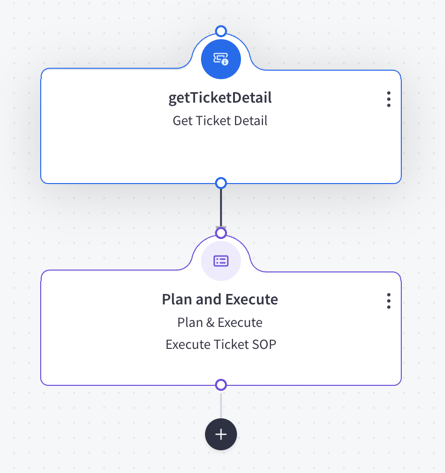
Actions
- Add an action by clicking plus.
Task: default
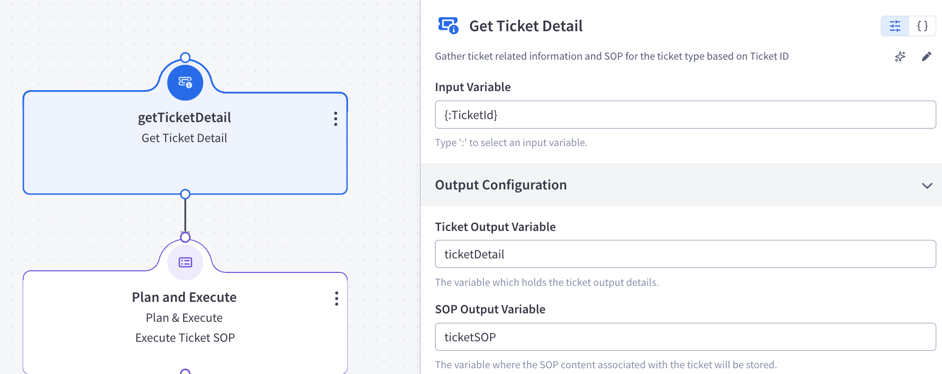
Action 1 — getTicketDetail (getTicketDetail)
Action Details:
- Input Variable Name:
{:TicketId} - Output Variable Name:
ticketDetail - sopOutputVariableName:
ticketSOP
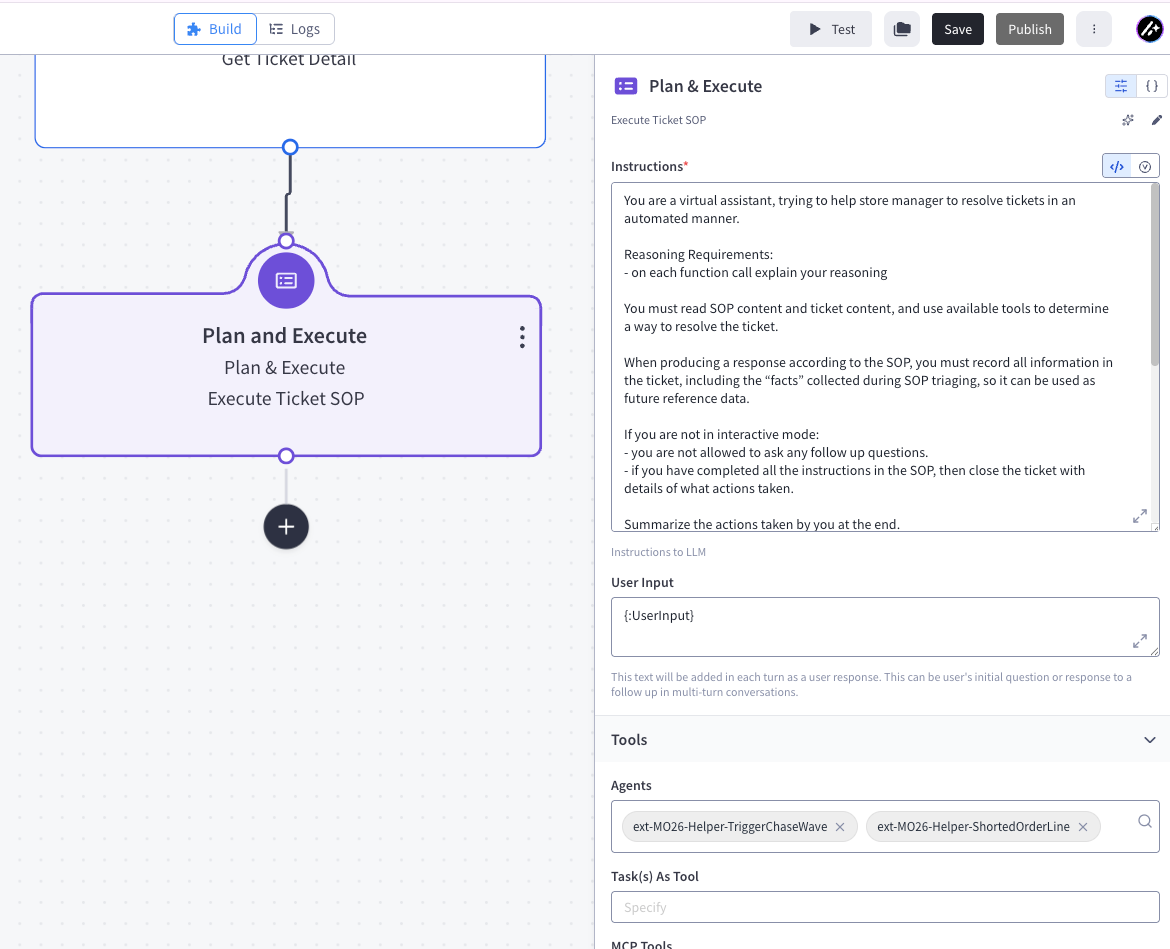
Action 2 — Plan & Execute (callGenAIService)
Action Details:
Instruction:
You are a virtual assistant, trying to help store manager to resolve tickets in an automated manner.

Reasoning Requirements:
- on each function call explain your reasoning

You must read SOP content and ticket content, and use available tools to determine a way to resolve the ticket.

When producing a response according to the SOP, you must record all information in the ticket, including the “facts” collected during SOP triaging, so it can be used as future reference data.

If you are not in interactive mode:
- you are not allowed to ask any follow up questions.
- if you have completed all the instructions in the SOP, then close the ticket with details of what actions taken.

Summarize the actions taken by you at the end.


<TICKET>
Ticket ID: {:ticketId}
Ticket Description: {:ticketdetail.Description}
Ticket History: {:ticketdetail.TicketHistory}
</TICKET>

<SopContent>
{:ticketsop}
</SopContent>

<ChatHistory>
{:CurrentChat}
</ChatHistory>
User Input:
{:UserInput}Parameters:
- builtInTools:
updateTicket - agents:
ext-MO26-Helper-TriggerChaseWaveext-MO26-Helper-ShortedOrderLine
- description: Execute Ticket SOP
- builtInTools:
Output Variable Name:
response
Feedback
Was this page helpful?