Agent ZPL Creator
Step-by-step technical guide for Agent ZPL Creator
Login
- Go to the Web URL:
- Enter your assigned User and Password.
- If you are unable to login, ask for help from Manhattan Team.
Initialize Agent
- Launch Agent Foundry from the Hamburger Menu.
- Click on “Create Agent from Scratch”.
- Go to Agent Configuration by clicking the Gear icon, next to the Agent Name.
- Specify the AgentId and Agent Name as you see fit.
- Scroll down to set the parameters “Conversational” and “Allow Attachment from Chat” flag as provided in the Agent Details section.
Agent Details
| Field | Value |
|---|---|
| Name | MO26_Agent_ZPLCreator |
| Description | This is an agent that supports uploading an image of a label and returns a zpl template. |
| Conversational | true |
| allowAttachmentFromChat | true |
Actions
- Add an action by clicking plus.
To add an Action click on the + sign on the Initial UI or at end of the current action on the screen.
Task: default
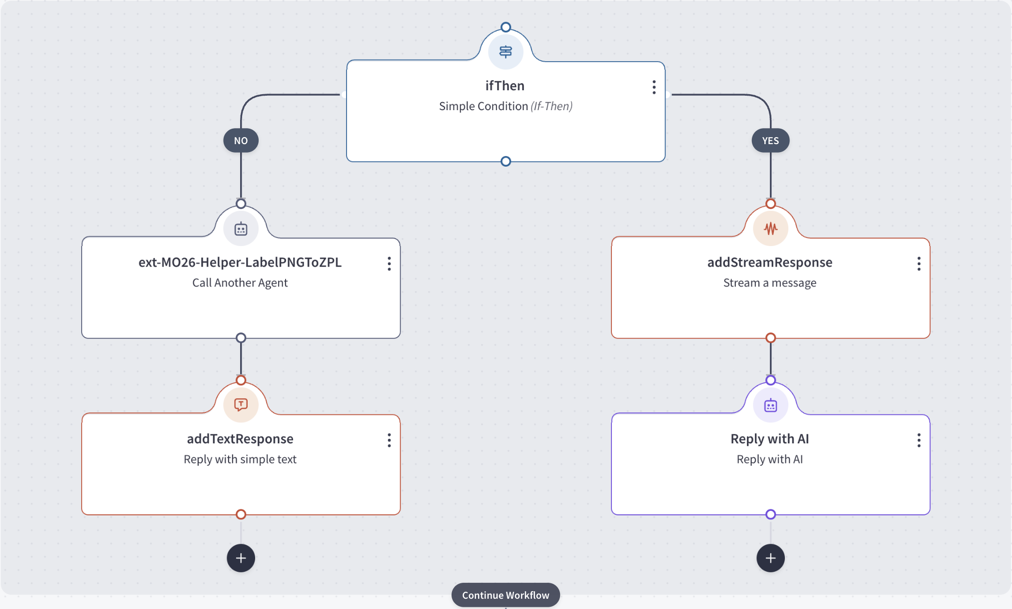
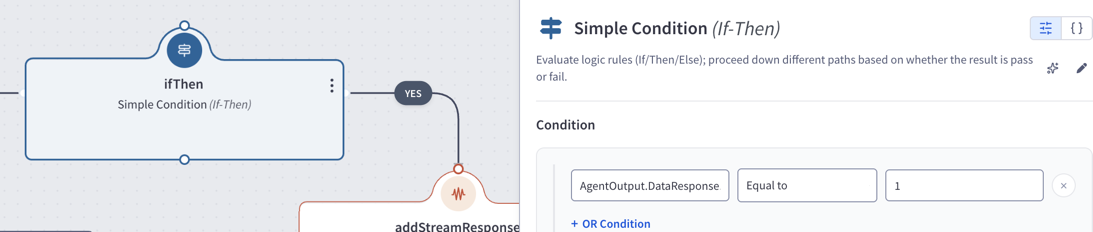
Action 1 — ifThen (ifThen)
Condition:
AgentOutput.DataResponse.ZPLGenerated==1
actionsWhenTrue
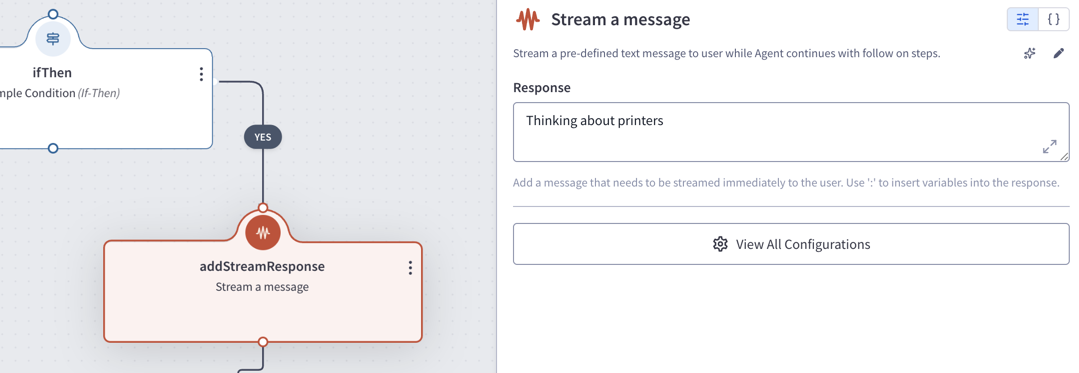
Action 1.T.1 — addStreamResponse (addStreamResponse)
- User Input:
Thinking about printers
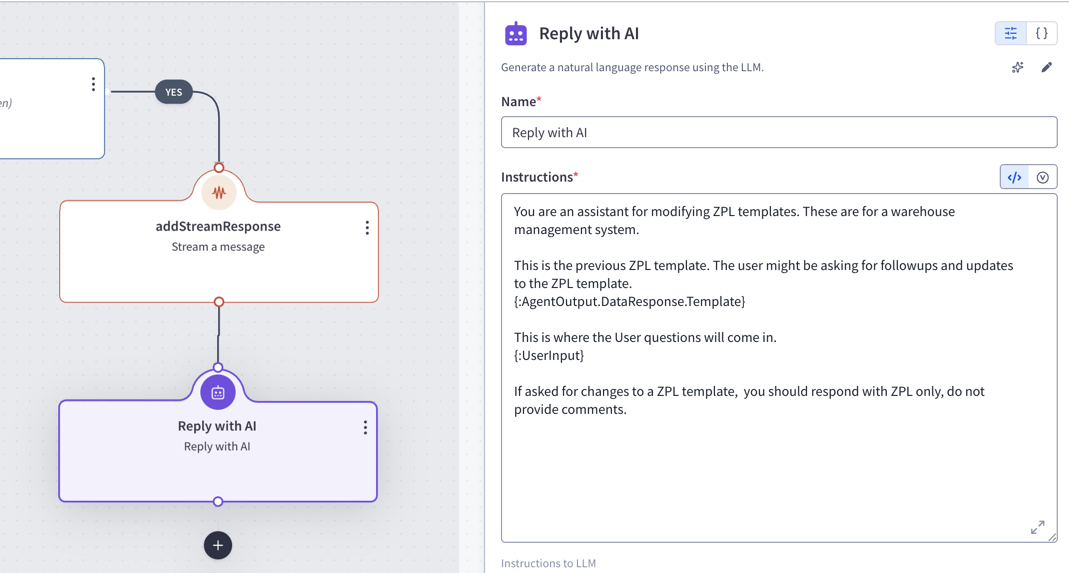
Action 1.T.2 — Reply with AI (callGenAIService)
- Instruction:
You are an assistant for modifying ZPL templates. These are for a warehouse management system.

This is the previous ZPL template. The user might be asking for followups and updates to the ZPL template.
{:AgentOutput.DataResponse.Template}

This is where the User questions will come in.
{:UserInput}

If asked for changes to a ZPL template, you should respond with ZPL only, do not provide comments.
actionsWhenFalse
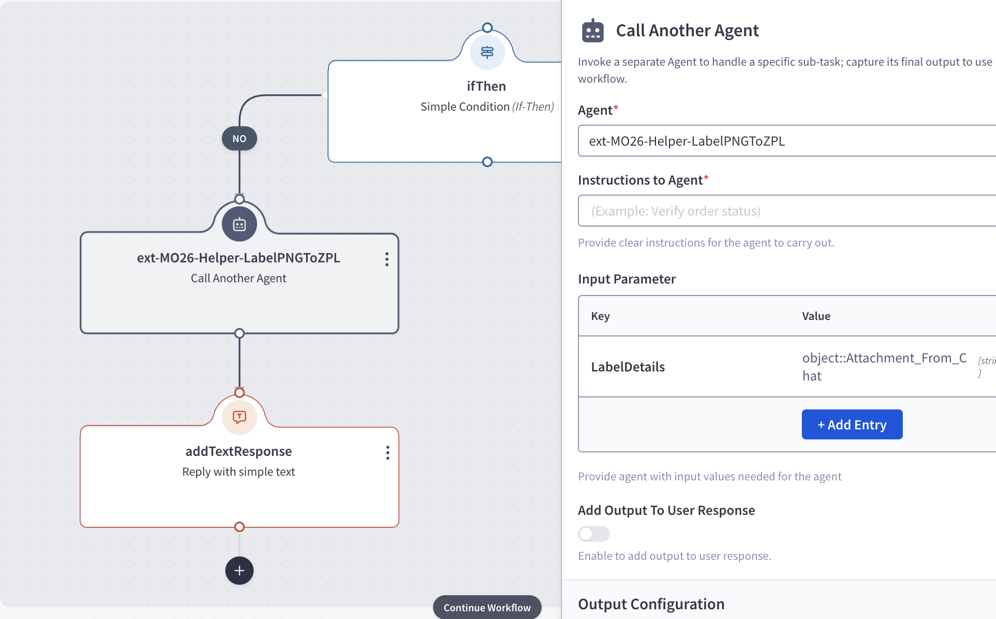
Action 1.F.1 — ext-MO26-Helper-LabelPNGToZPL (callAgent)
- Parameters:
- agents:
ext-MO26-Helper-LabelPNGToZPL - LabelDetails:
object::Attachment_From_Chat
- agents:
- outputVariableName:
AgentOutput
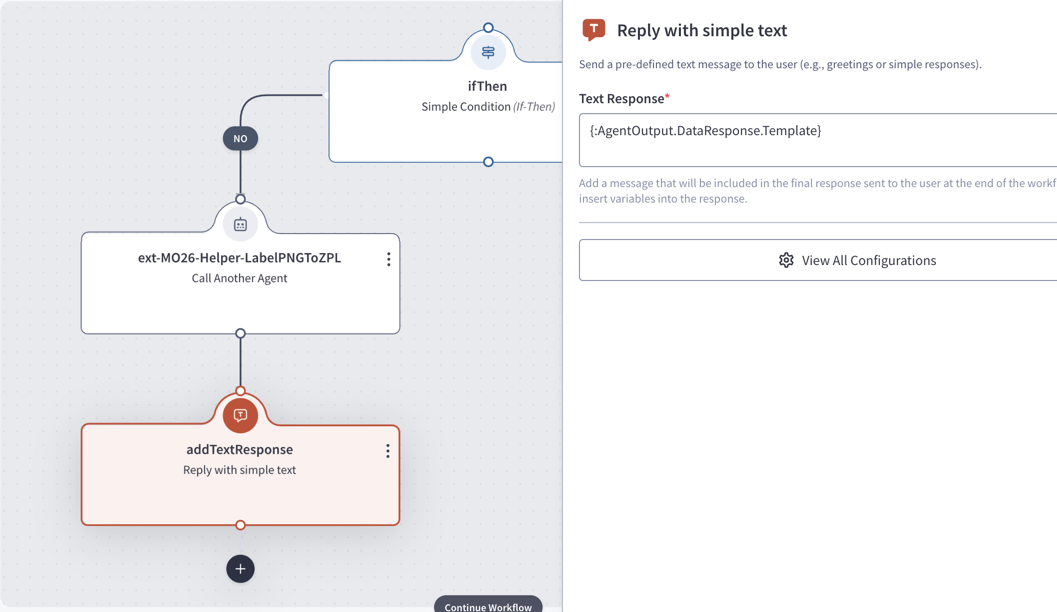
Action 1.F.2 — addTextResponse (addTextResponse)
- textResponse:
{:AgentOutput.DataResponse.Template}
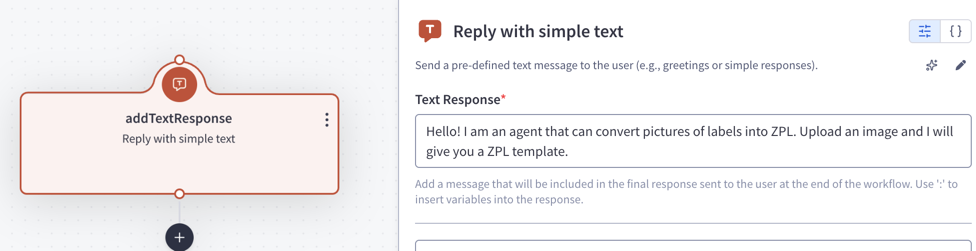
Task: greetingTask
Action 1 — addTextResponse (addTextResponse)
- textResponse:
Hello! I am an agent that can convert pictures of labels into ZPL. Upload an image and I will give you a ZPL template.
Feedback
Was this page helpful?