Agent Slotting Assistant
Step-by-step technical guide for Agent Slotting Assistant
Login
- Go to the Web URLs:
- https://mesop6.sce.manh.com (Supply Chain)
- Enter your assigned User and Password.
- If you are unable to login, ask for help from Manhattan Team.
Initialize Agent
- Launch Agent Foundry from the Hamburger Menu.
- Click on “Create Agent from Scratch”.
- Go to Agent Configuration by clicking the Gear icon, next to the Agent Name.
- Change the AgentId and Agent Name as you see fit.
- Scroll down to set the parameters Conversational and Allow Attachment from Chat flags as provided in the Agent Details section.
Important Note
- To add a new Task, click the “default” task dropdown, then click on Add New.
- To add an Action click on the + sign on the Initial Screen or at the end of the current action on the screen.
Agent Details
| Field | Value |
|---|---|
| Name | MO26_Agent_SlottingAssist |
| Description | This is an agent that supports uploading a csv of items and returns eligible locations |
| Conversational | true |
| allowAttachmentFromChat | true |
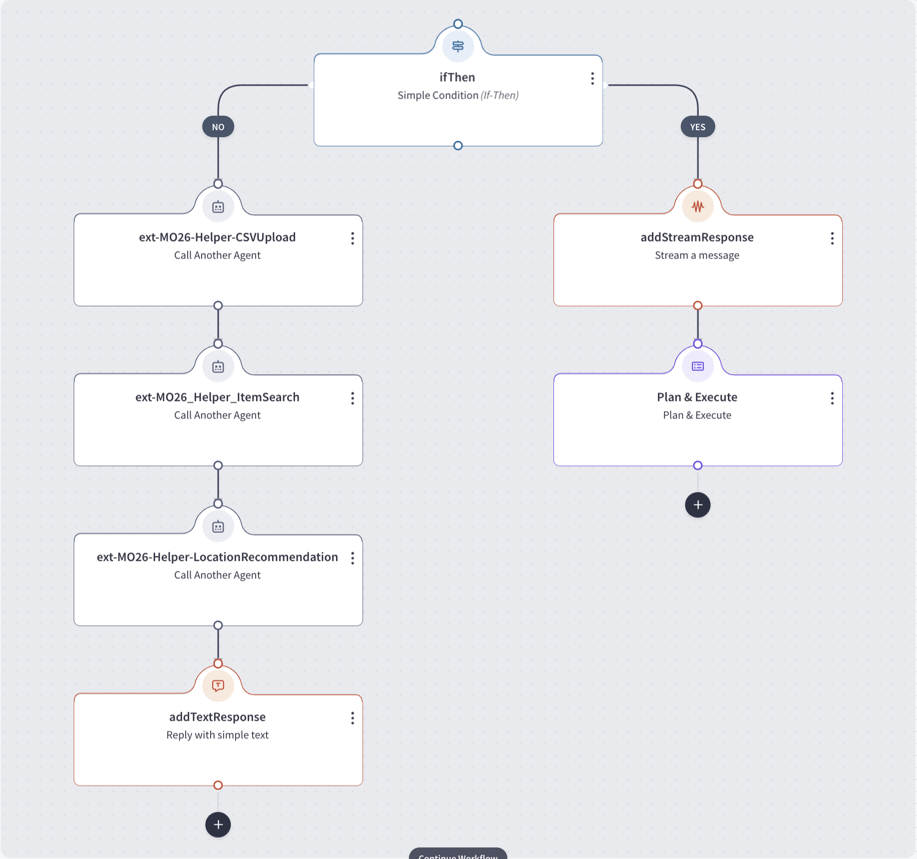
Actions
- Add an action by clicking plus.
Task Name: default
Action 1 — ifThen (ifThen)
Action Description: Conditional branch that checks whether location recommendations have already been provided.
Action Details:
- Condition:
LocationRec.DataResponse.Provided==1
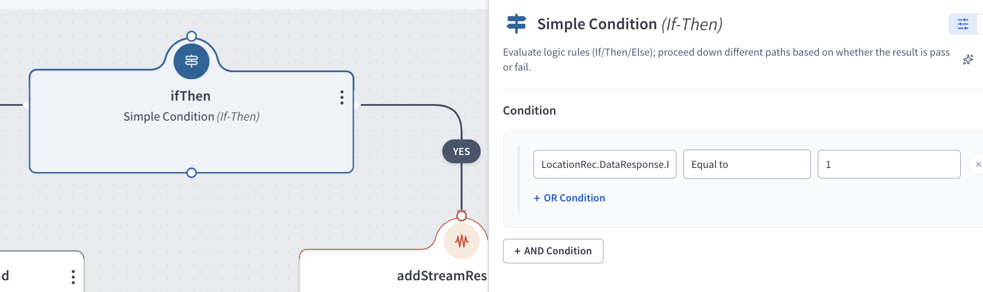
actionsWhenTrue
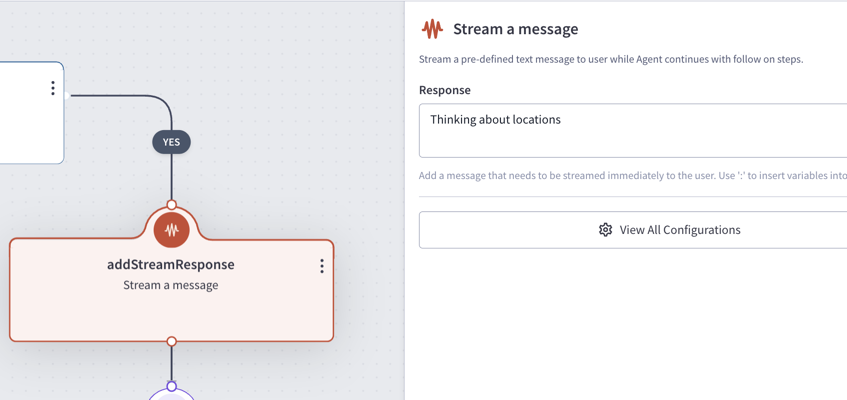
Action 1.T.1 — addStreamResponse (addStreamResponse)
- Text Response:
Thinking about locations
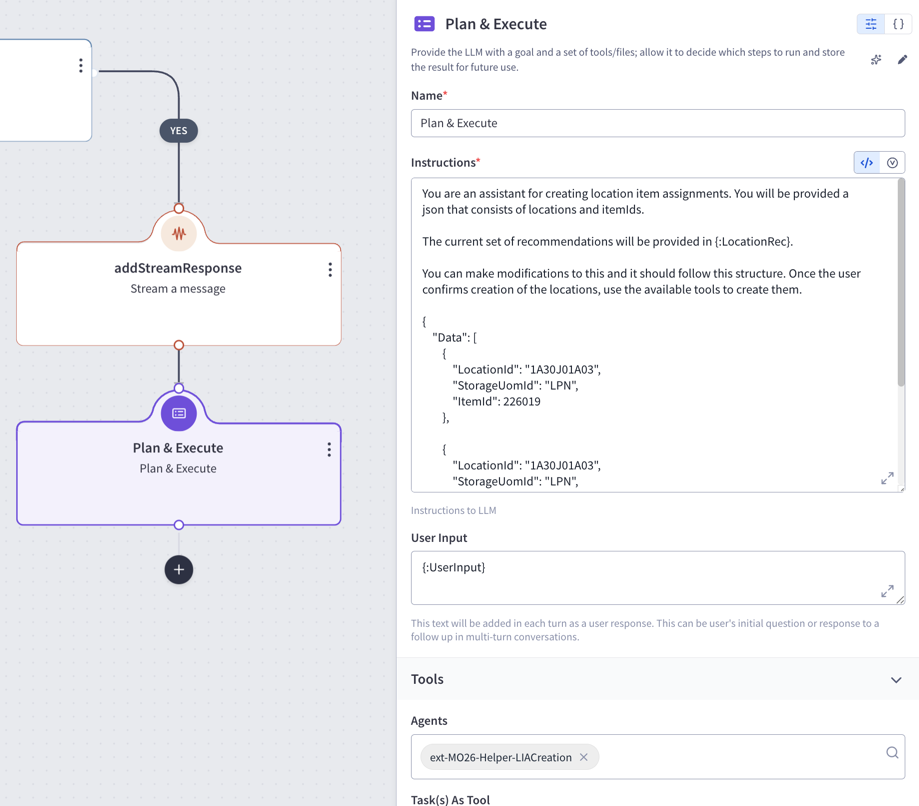
Action 1.T.2 — Plan & Execute (callGenAIService)
- Instruction:
You are an assistant for creating location item assignments. You will be provided a json that consists of locations and itemIds. The current set of recommendations will be provided in {:LocationRec}. You can make modifications to this and it should follow this structure. Once the user confirms creation of the locations, use the available tools to create them. { "Data": [ { "LocationId": "1A30J01A03", "StorageUomId": "LPN", "ItemId": 226019 }, { "LocationId": "1A30J01A03", "StorageUomId": "LPN", "ItemId": 226019 }, { "LocationId": "1A30J01A03", "StorageUomId": "LPN", "ItemId": 226019 } ] } - User Input:
{:UserInput} - Parameters:
- agents:
ext-MO26-Helper-LIACreation
- agents:
actionsWhenFalse
Action 1.F.1 — ext-MO26-Helper-CSVUpload (callAgent)
- Parameters:
- CSV:
object::Attachment_From_Chat
- CSV:
- outputVariableName:
AgentOutput
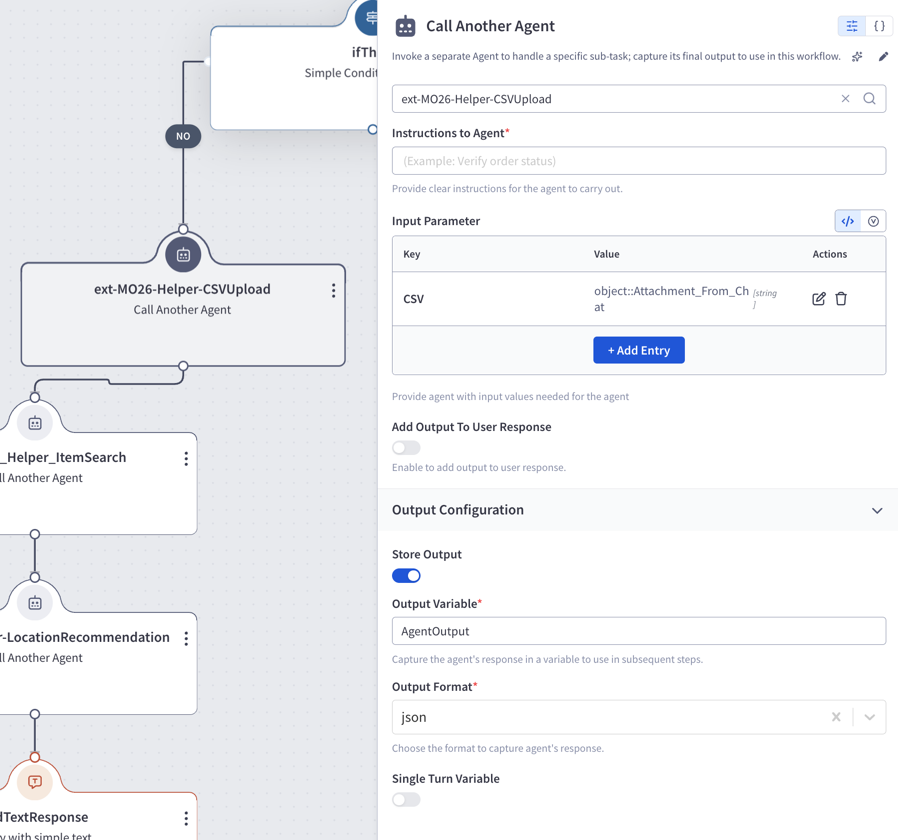
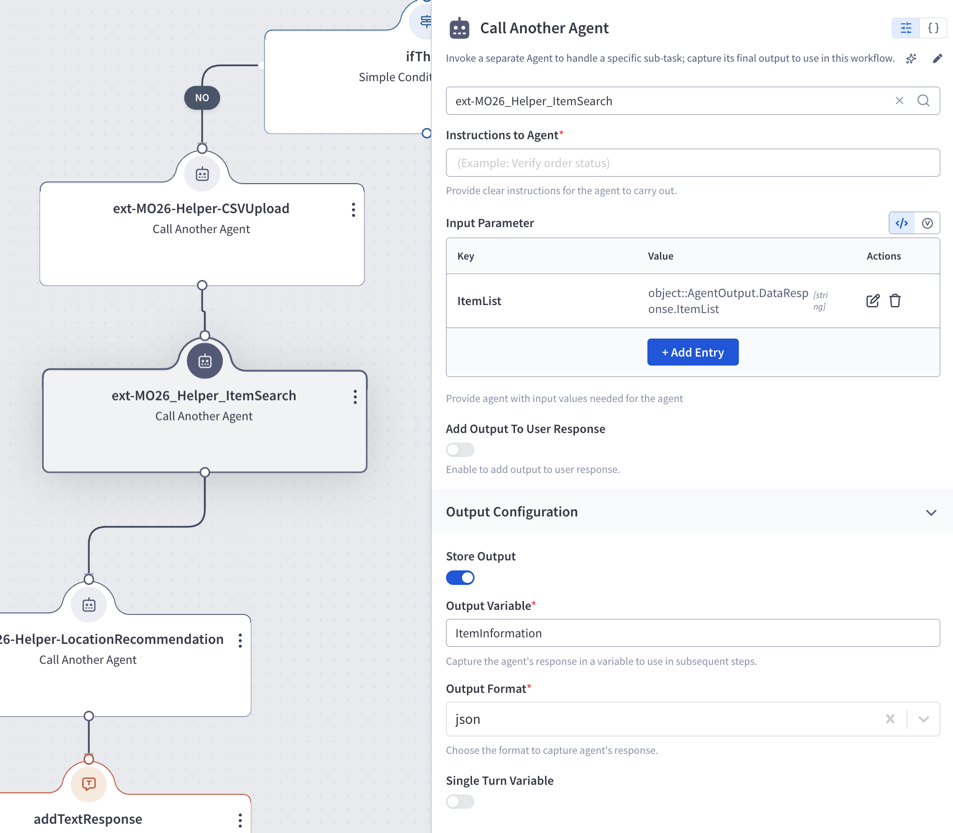
Action 1.F.2 — ext-MO26_Helper_ItemSearch (callAgent)
- Parameters:
- ItemList:
object::AgentOutput.DataResponse.ItemList
- ItemList:
- outputVariableName:
ItemInformation
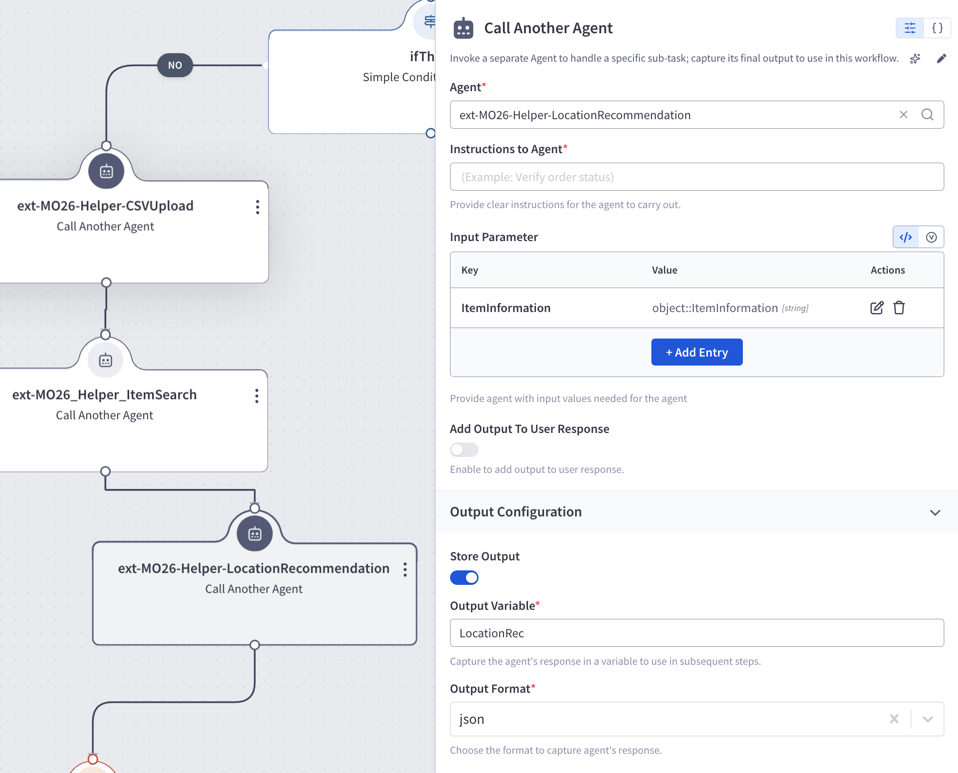
Action 1.F.3 — ext-MO26-Helper-LocationRecommendation (callAgent)
- Parameters:
- ItemInformation:
object::ItemInformation
- ItemInformation:
- outputVariableName:
LocationRec
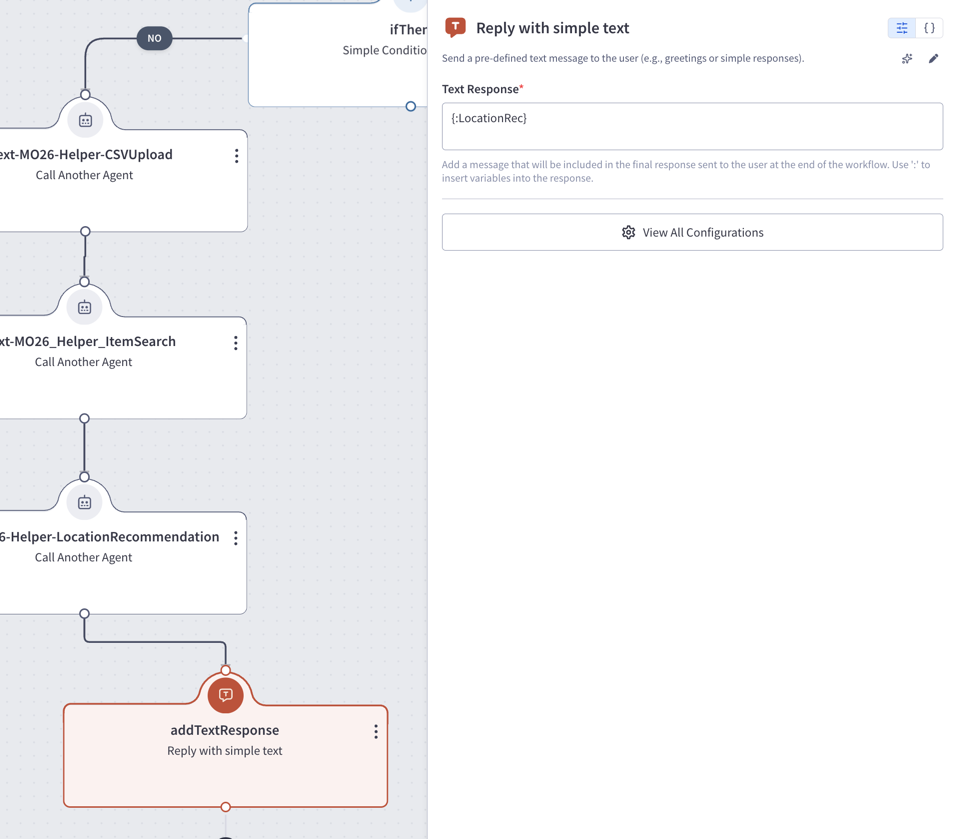
Action 1.F.4 — addTextResponse (addTextResponse)
- Text Response:
{:LocationRec}
Task Name: greetingTask
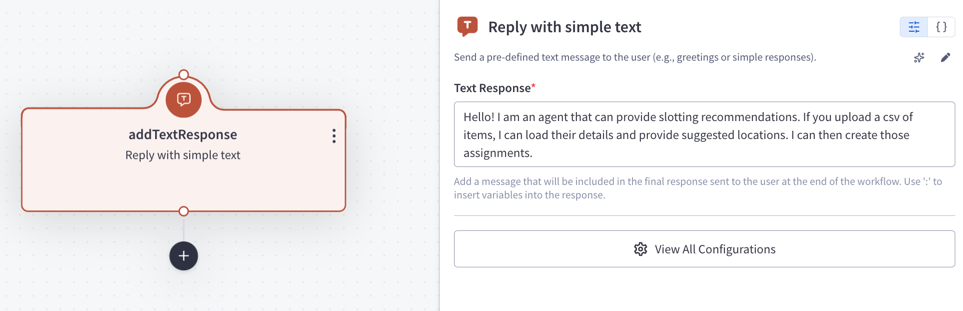
Action 1 — addTextResponse (addTextResponse)
Action Description: Initial greeting displayed to the user.
Action Details:
- Text Response:
Hello! I am an agent that can provide slotting recommendations. If you upload a csv of items, I can load their details and provide suggested locations. I can then create those assignments.
Feedback
Was this page helpful?