Agent Data Analyzer
Step-by-step technical guide for Agent Data Analyzer
Login
- Go to the Web URL:
- Enter your assigned User and Password.
- If you are unable to login, ask for help from Manhattan Team.
Initialize Agent
- Launch Agent Foundry from the Hamburger Menu.
- Click on “Create Agent from Scratch”.
- Go to Agent Configuration by clicking the “Gear” icon, next to the Agent Name.
- Change the AgentId and Agent Name as you see fit.
- Scroll down to set the parameters “Conversational” and “Allow Attachment from Chat” flag as provided in the Agent Details section.
Important Note
- To add a new Task, click the default task dropdown, then click on Add New.
- To add an Action, click on the + sign on the Initial Screen or at the end of the current action on the screen.
Agent Details
| Field | Value |
|---|---|
| Name | MO26-Agent-DataAnalyzer |
| Description | Takes in a CSV and lets the user ask questions about it. |
| Conversational | true |
| allowAttachmentFromChat | true |
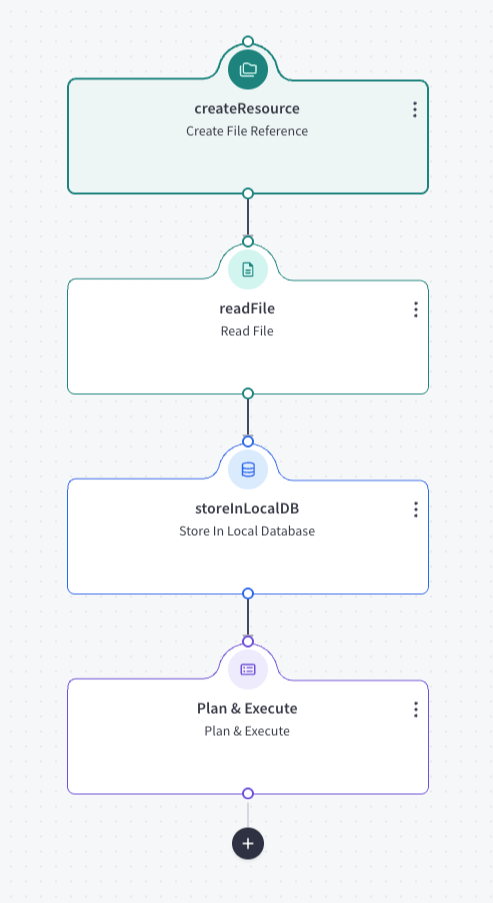
Actions
- Add an action by clicking plus.
Task: default
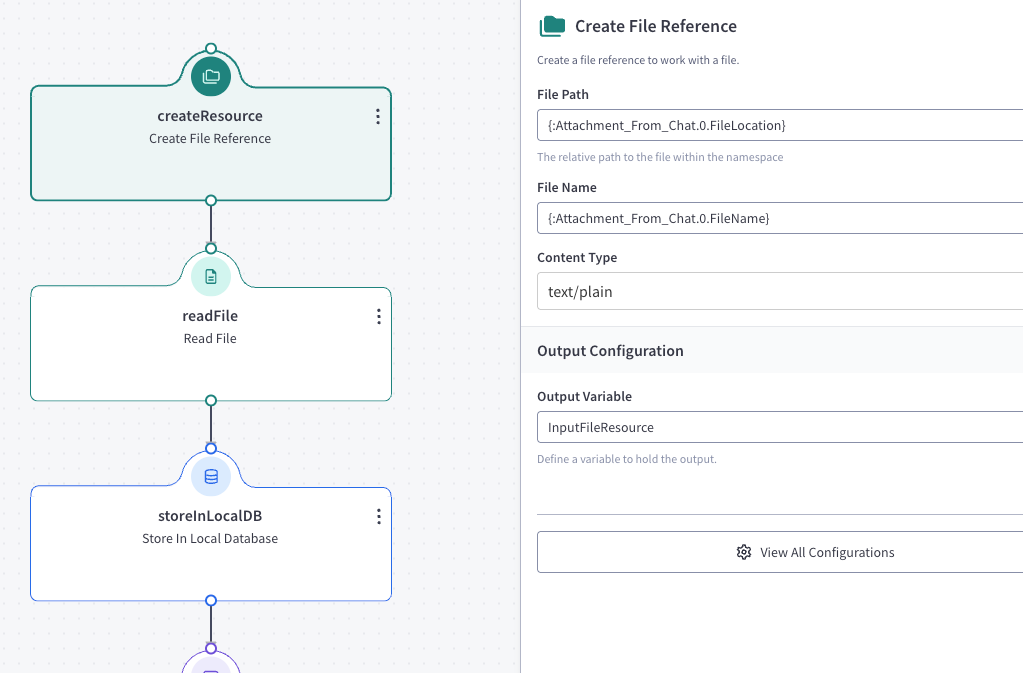
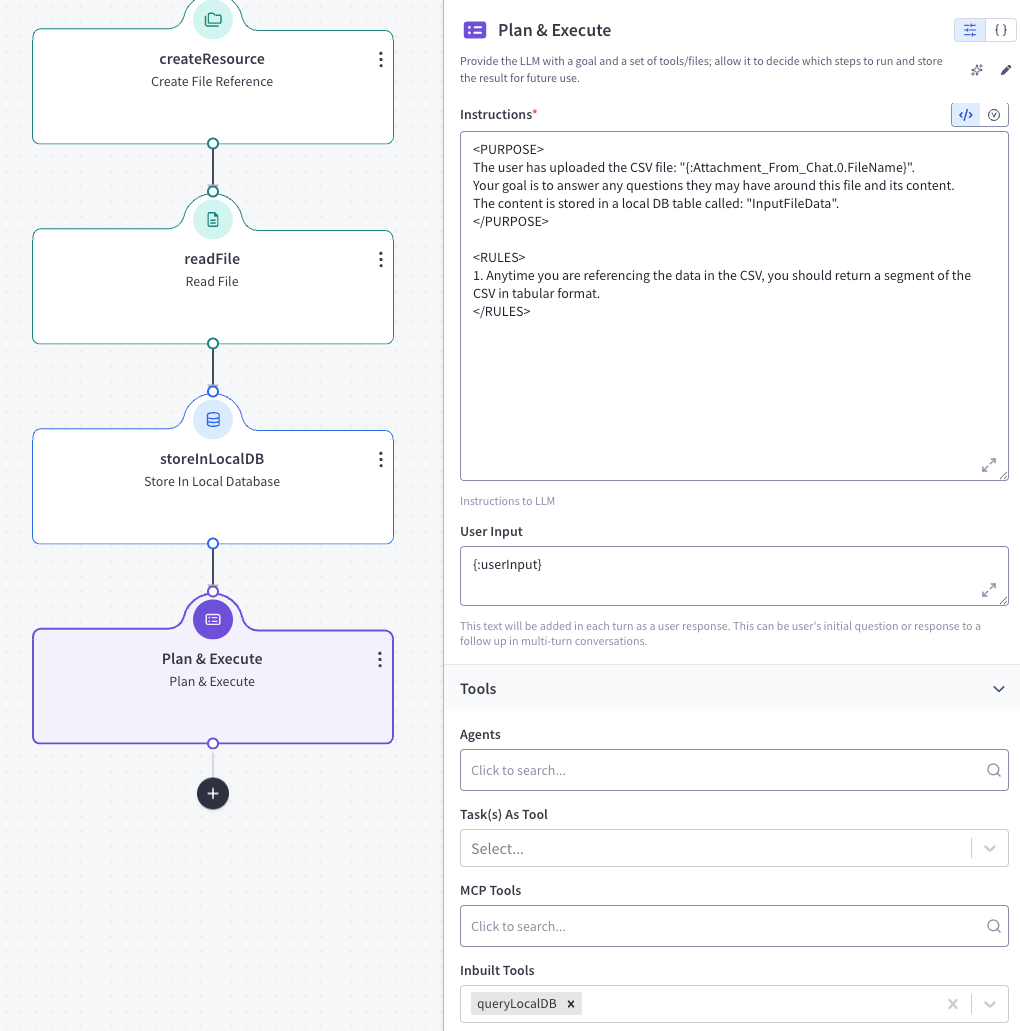
Action 1 — createResource (createResource)
Action Details:
- source: objectstore
- mimeType: text/plain
- namespace:
{:Attachment_From_Chat.0.FileNamespace} - filePath:
{:Attachment_From_Chat.0.FileLocation} - fileName:
{:Attachment_From_Chat.0.FileName} - outputVariableName: InputFileResource
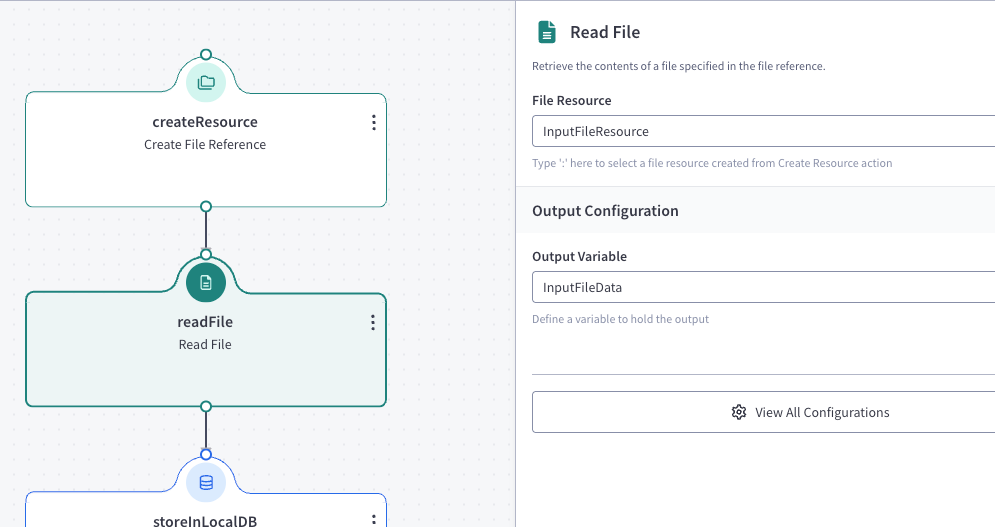
Action 2 — readFile (readFile)
Action Details:
- target: table
- fileName: InputFileResource
- outputVariableName: InputFileData
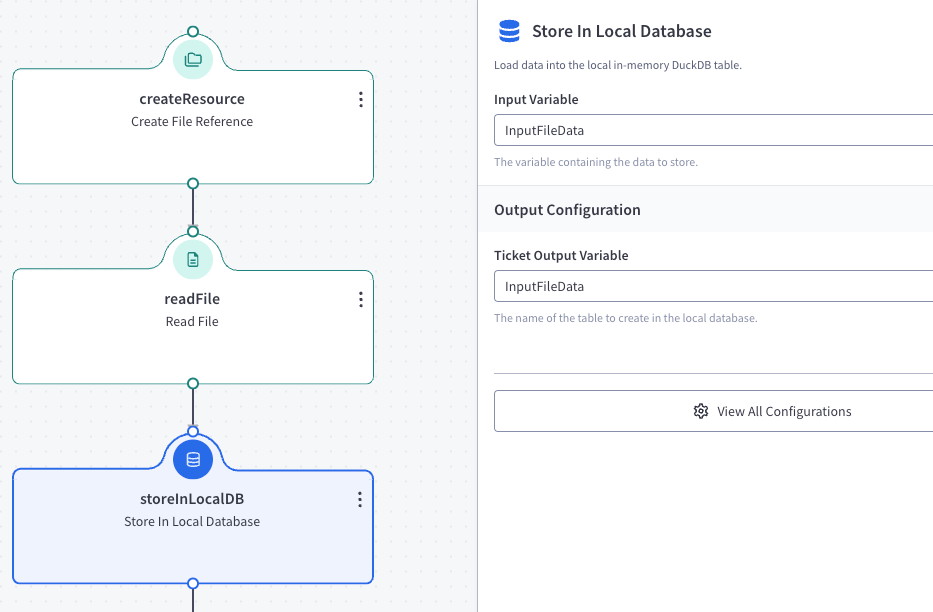
Action 3 — storeInLocalDB (storeInLocalDB)
Action Details:
- inputVariableName: InputFileData
- outputVariableName: InputFileData
Action 4 — Plan & Execute (callGenAIService)
Action Details:
- Instruction:
<PURPOSE> The user has uploaded the CSV file: "{:Attachment_From_Chat.0.FileName}". Your goal is to answer any questions they may have around this file and its content. The content is stored in a local DB table called: "InputFileData". </PURPOSE> <RULES> 1. Anytime you are referencing the data in the CSV, you should return a segment of the CSV in tabular format. </RULES> - User Input:
{:userInput} - Parameters:
- builtInTools: queryLocalDB
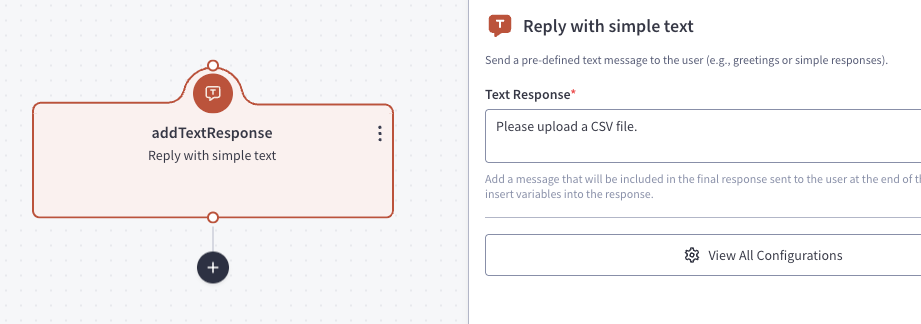
Task: greetingTask
Action 1 — addTextResponse (addTextResponse)
Action Details:
- textResponse: Please upload a CSV file.
Feedback
Was this page helpful?