Agent Store Capacity Alert
Step-by-step technical guide for Agent Store Capacity Alert
Login
- Go to the Web URL - https://mesop3.omni.manh.com
- Enter the assigned user and password. Use the allotted account from Exchange1 through Exchange40.
- If you are unable to login, ask for help from Manhattan Team.
Initialize Agent
- Launch Agent Foundry from the Hamburger Menu.
- From the extreme top-right corner, click on the “Create an Agent” dropdown and select “Workflow Builder”.
- Click on “Create Agent from Scratch”.
- Go to Agent Configuration by clicking the “Gear” icon, next to the Agent Name.
- Change the Agent Name as you see fit.
- Scroll down to set the parameters “Conversational” and “Allow Attachment from Chat” flag as provided in the Agent Details section.
Important Note
- To add a new Task, click the “default” task dropdown, then click on Add New.
- To add an Action, click on the + sign on the Initial Screen or at the end of the current action on the screen.
Agent Details
| Field | Value |
|---|---|
| Name | EX26_Agent_StoreCapacityAlert |
| Description | This is an autonomous agent identifies stores that have maximum capacity and creates tickets for them to be processed. |
| Conversational | false |
| allowAttachmentFromChat | false |
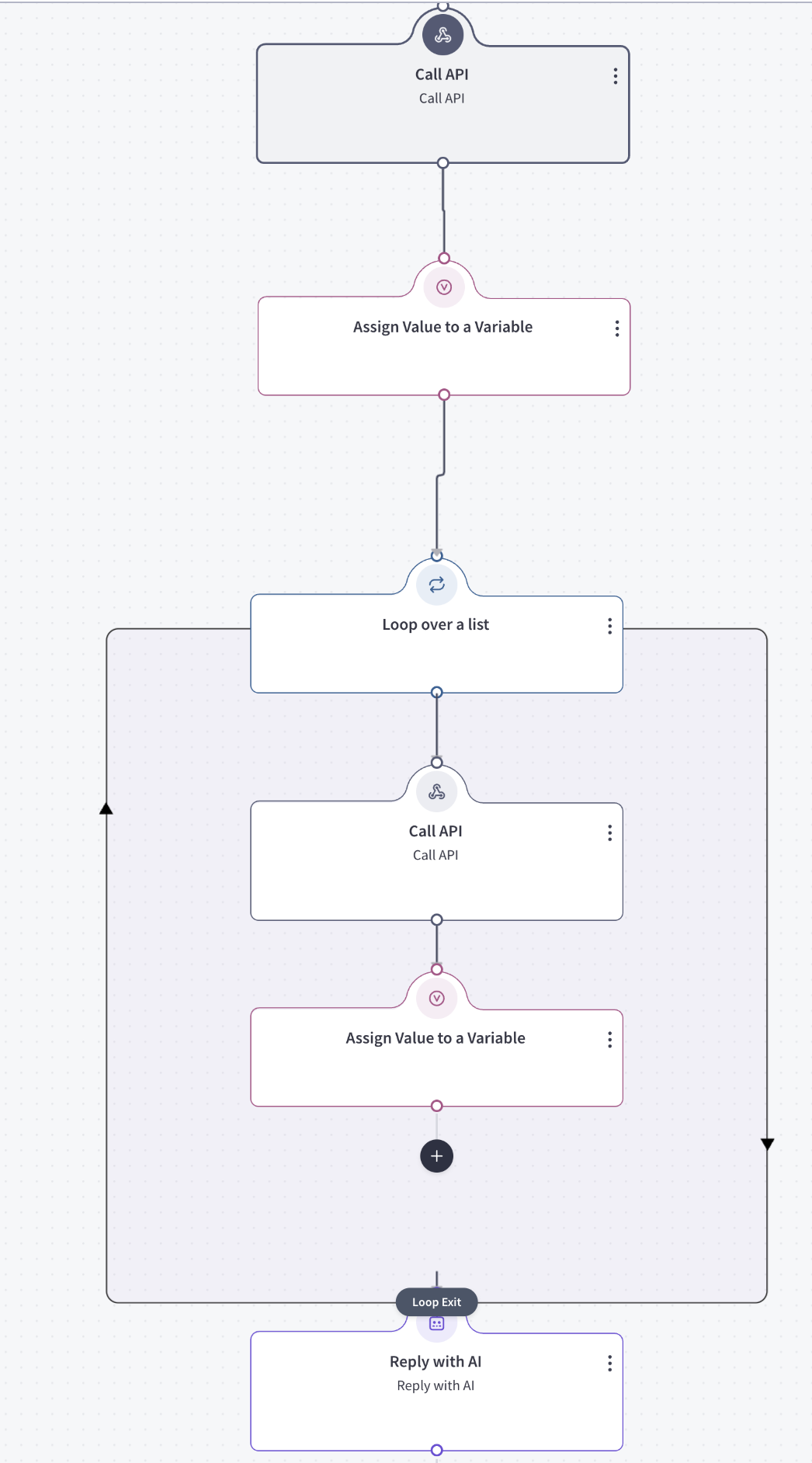
Actions
- Add an action by clicking plus.
Task Name: default
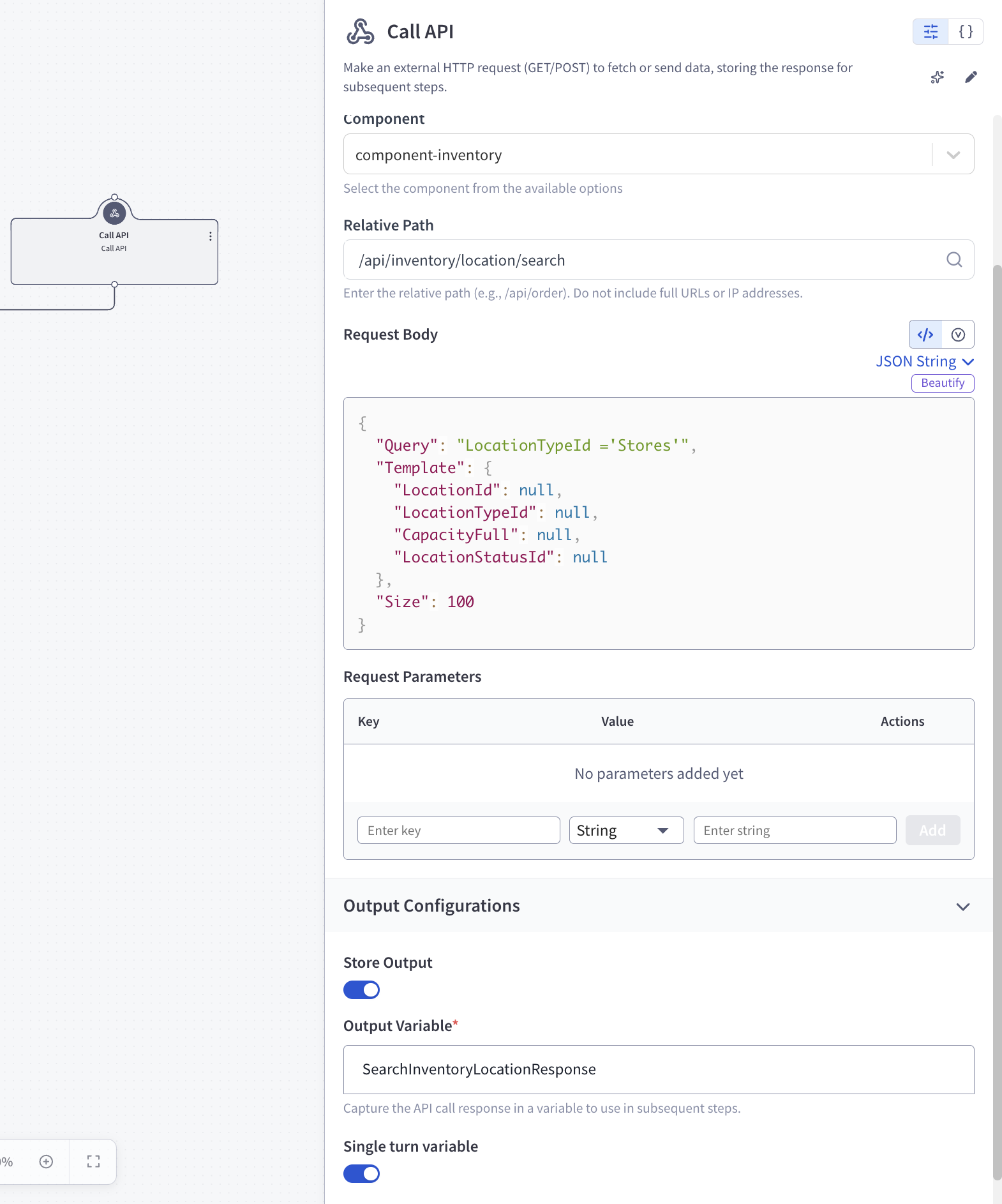
Action 1 — Call API (callService)
Action Details
httpMethod: POST
component: component-inventory
relativePath: /api/inventory/location/search
inputDocument:
{
  "Query": "LocationTypeId ='Stores'",
  "Template": {
    "LocationId": null,
    "LocationTypeId": null,
    "CapacityFull": null,
    "LocationStatusId": null
  },
  "Size": 100
}
outputVariableName: SearchInventoryLocationResponse
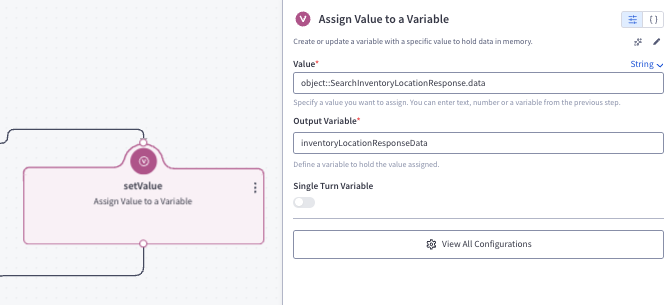
Action 2 — Assign Value to a Variable (setValue)
Action Details
- User Input:
object::SearchInventoryLocationResponse.data - outputVariableName: inventoryLocationResponseData
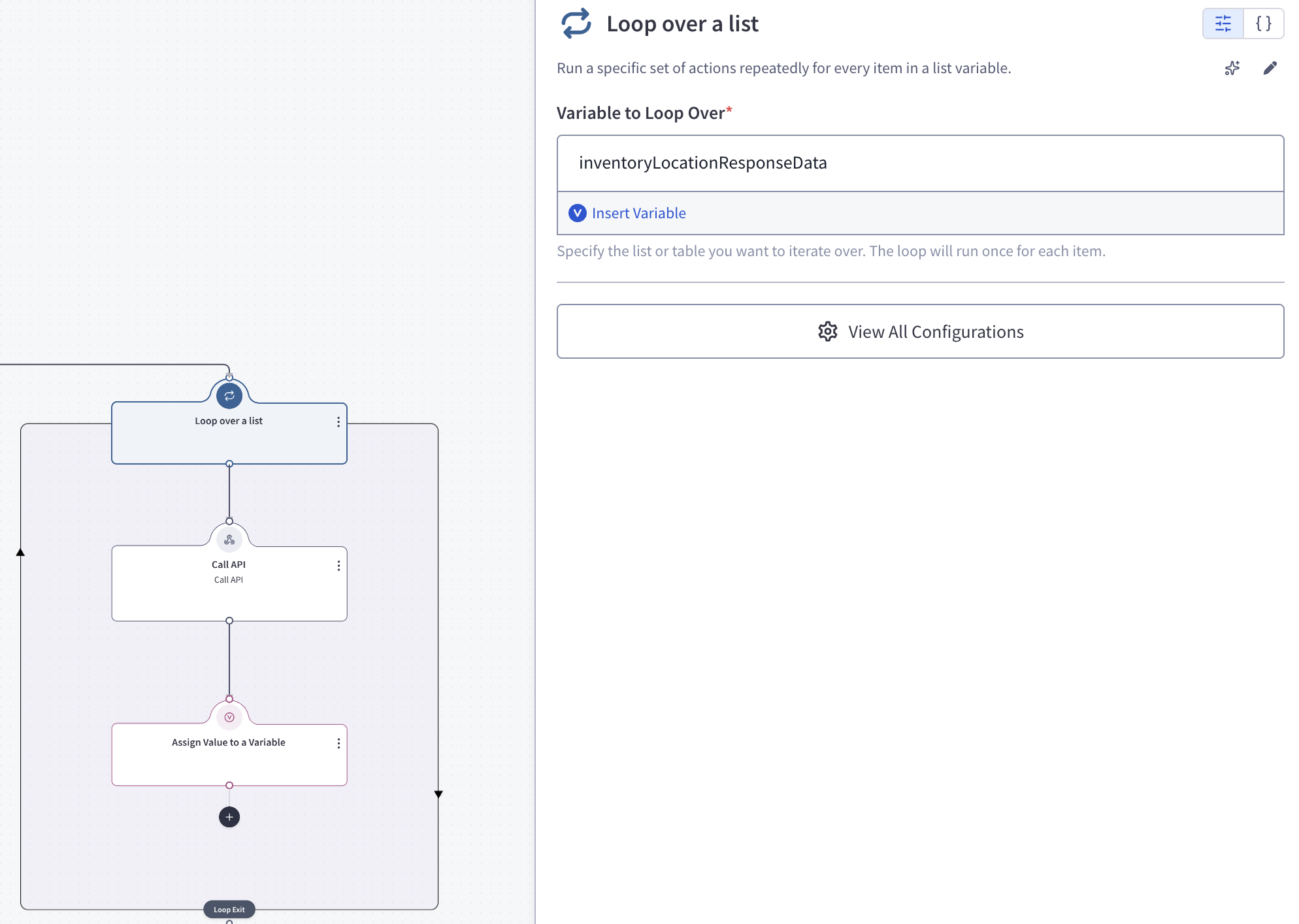
Action 3 — Loop over a list (loop)
Action Details
- inputVariableName: inventoryLocationResponseData
- maxThreads: 4
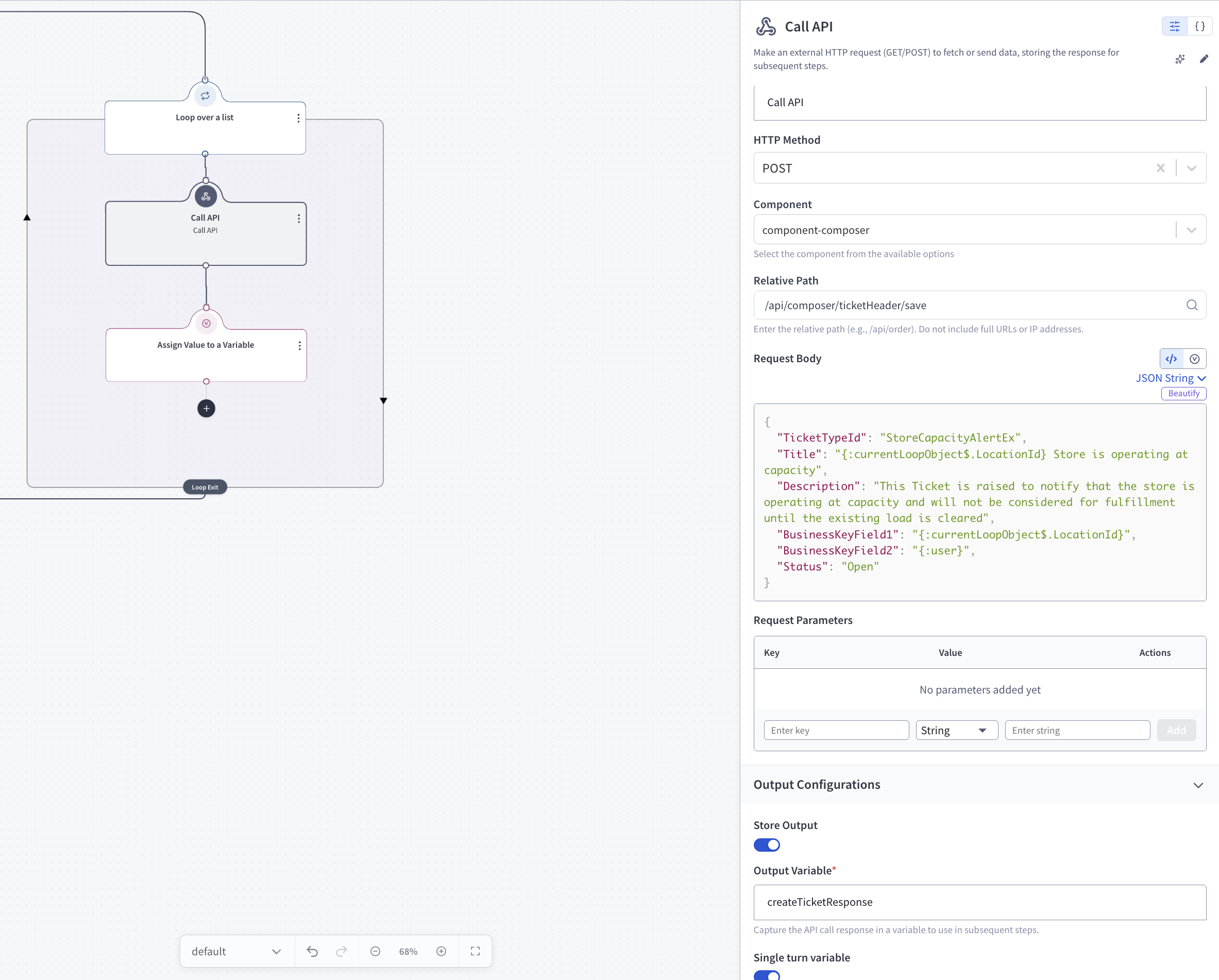
Action 3.1 — Call API (callService)
Action Details
httpMethod: POST
component: component-composer
relativePath: /api/composer/ticketHeader/save
inputDocument:
{
  "TicketTypeId": "StoreCapacityAlertEx",
  "Title": "{:currentLoopObject$.LocationId} Store is operating at capacity",
  "Description": "This Ticket is raised to notify that the store is operating at capacity and will not be considered for fulfillment until the existing load is cleared",
  "BusinessKeyField1": "{:currentLoopObject$.LocationId}",
  "BusinessKeyField2": "{:user}",
  "Status": "Open"
}
outputVariableName: createTicketResponse
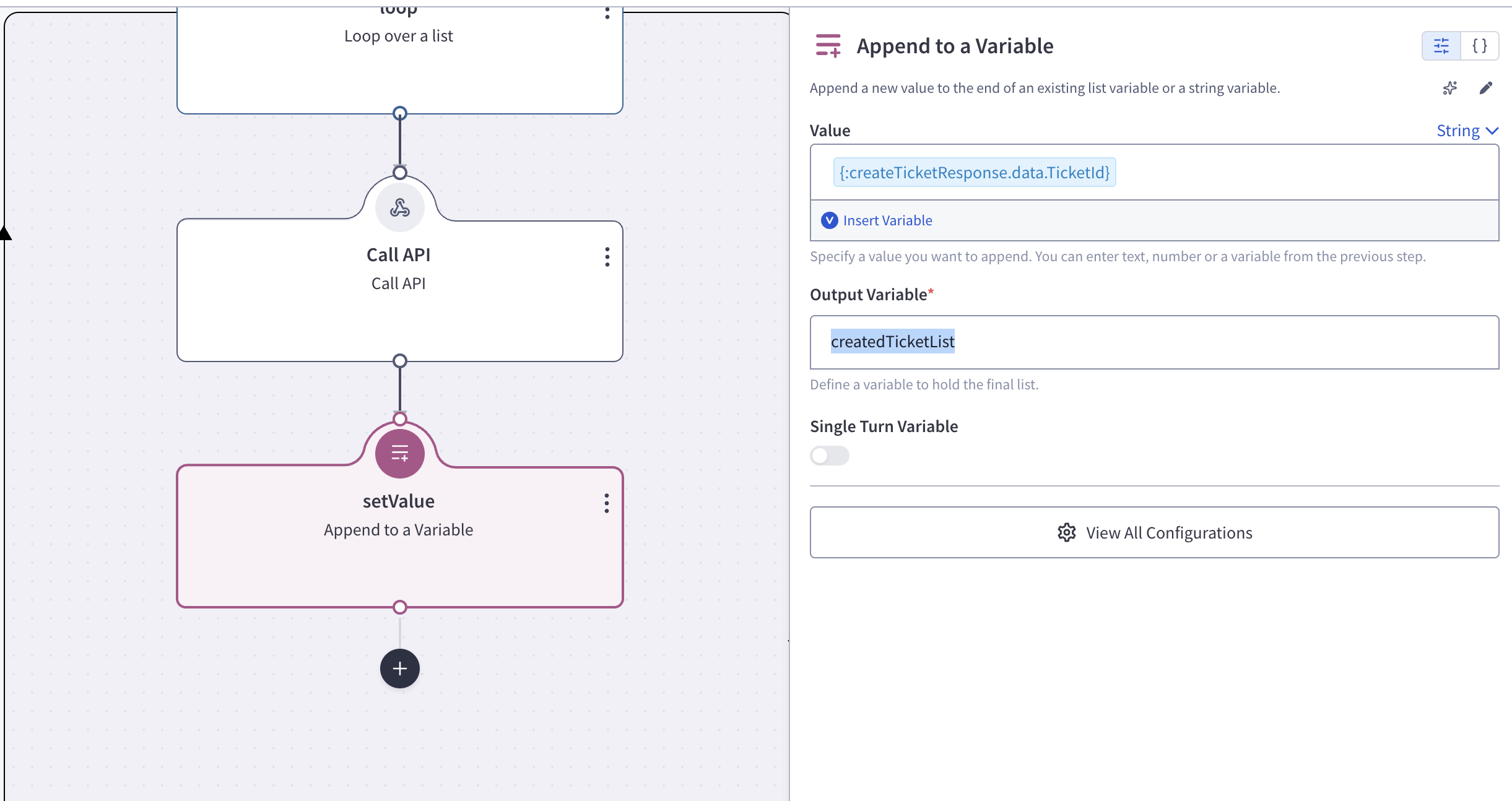
Action 3.2 — Append to a Variable (setValue)
Action Details
- User Input:
{:createTicketResponse.data.TicketId} - outputVariableName: createdTicketList
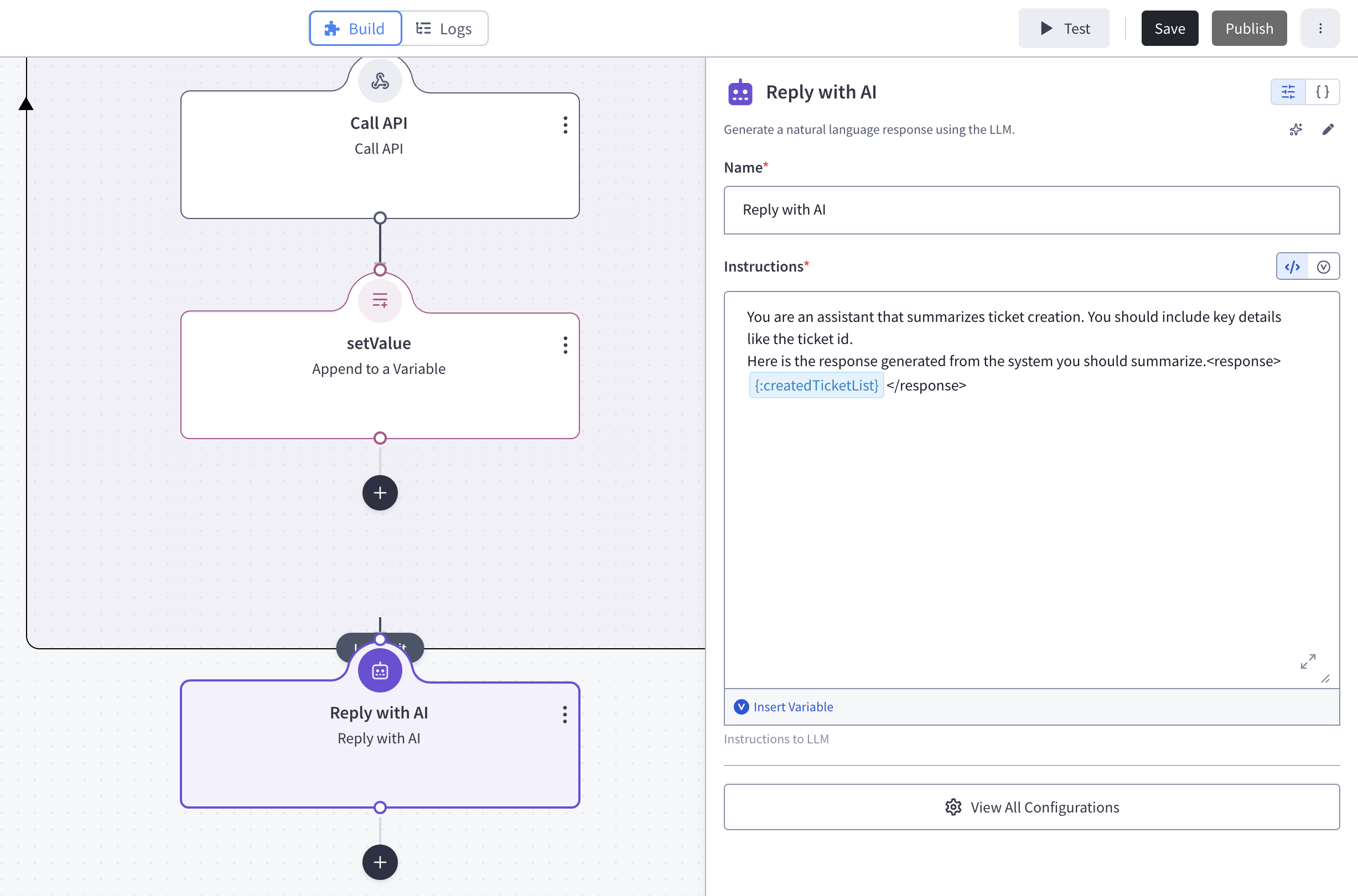
Action 4 — Reply with AI (setValue)
Action Details
- Instructions: ‘You are an assistant that summarizes ticket creation. You should include key details like the ticket id.
Here is the response generated from the system you should summarize.
{:createdTicketList} ’
Feedback
Was this page helpful?